
Process Automation with AI: How to Eliminate 20h of Manual Work per Week

Gabriel Sorrentino
Founder · AI Solutions Architect, FluencerAI
4 min read
How much time does your team spend each week on tasks that could be done by a machine? Copying data from one spreadsheet to another. Sending the same follow-up email for the tenth time. Generating reports nobody reads until Monday.
The answer for most companies: at least 20 hours per week. That's like having an entire employee dedicated to work that shouldn't exist.
What Is AI-Powered Process Automation?
AI-powered process automation uses artificial intelligence combined with integration tools to execute operational workflows without human intervention. It connects your systems — CRM, email, ERP, spreadsheets — into end-to-end automated processes.
The crucial difference from traditional automation:
- Traditional automation (RPA): follows fixed rules. If the data format changes, it breaks.
- AI automation: understands context, interprets variations, makes decisions, and adapts.
Practical example: traditional automation copies data from field A to field B. AI automation reads a customer email, understands the intent, categorizes the request, and routes it to the right department — all on its own.
Why Automate Now?
Companies that delay automation face three problems that only worsen over time:
- Rising operational costs: every new client demands more manual hours, increasing fixed costs proportionally
- Accumulated human errors: repetitive tasks cause fatigue, and fatigue causes mistakes — in finance, this can be expensive
- Wasted talent: qualified professionals spending time on mechanical work instead of strategic thinking
The numbers speak for themselves: companies implementing AI automation report 40% reduction in operational costs and 50% productivity increase within the first 90 days.
6 Processes You Can Automate Today
1. Document and Invoice Processing
AI extracts data from contracts, invoices, and forms automatically — even from scanned PDFs or photos. No manual typing, no transcription errors.
Impact: processes that took 4 hours drop to 15 minutes.
2. Bank and Financial Reconciliation
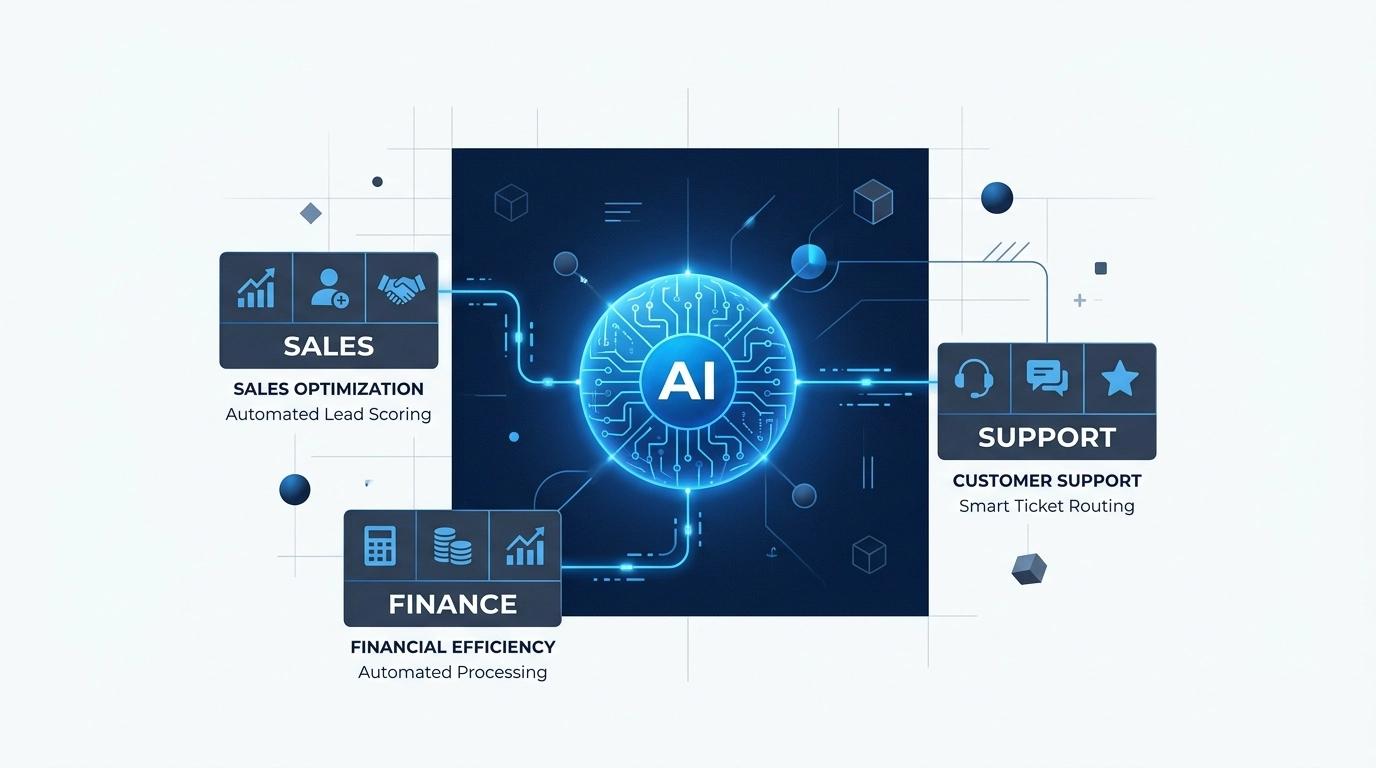
Automated financial agents cross-reference bank entries with ERP data, identify discrepancies, and generate exception reports. Your finance team only intervenes in cases that truly need attention.
3. Client Onboarding
From contract signing to account setup, every step can be automated: welcome email, document collection, access creation, team notification.
Impact: onboarding time reduced from days to hours.
4. CRM Updates and Lead Qualification
AI captures data from forms, emails, and WhatsApp conversations, automatically updates the CRM, and scores leads by conversion potential. Your sales team receives pre-qualified leads.
5. Automatic Report Generation
Dashboards and reports generated automatically with consolidated data from multiple sources. Delivered via email or Slack on your schedule — daily, weekly, or monthly.
6. Customer Support (Level 1)
AI agents resolve common questions, check order status, and create tickets — 24 hours a day. Your support team focuses on complex cases that actually need a human.
The Right Tools for Each Case
FluencerAI works with market-leading tools, choosing the best fit for each scenario:
- Make (Integromat): ideal for complex visual workflows with multiple branches
- n8n: open-source, perfect for companies needing full control and self-hosting
- Zapier: great for quick integrations between popular applications
- Power Automate: recommended for Microsoft ecosystems
- Generative AI (OpenAI, Claude): for processing natural language, classifying documents, and making decisions
The choice depends on your scenario's complexity, volume, and security requirements.
How to Implement: The Process
Implementation follows a structured roadmap to minimize risks:
- Diagnosis (Week 1): we map your current processes and identify those with highest ROI potential
- Prototyping (Week 2): we build the first functional automation for validation
- Expansion (Week 3-4): we automate additional processes and integrate systems
- Monitoring (Ongoing): we track performance, adjust, and optimize
The model includes weekly deliveries — you see real progress every week.
Real ROI: What to Expect
Typical results from companies automating with FluencerAI:
- 40% reduction in operational costs — fewer manual hours, fewer errors, less rework
- 50% productivity increase — team focused on strategic work
- Zero errors in repetitive tasks — machines don't experience fatigue
- 5x faster processing — tasks that took hours run in minutes
- ROI in 90 days — savings start exceeding investment by the third month
The key is to start with the process that hurts most — the one consuming the most hours and generating the most frustration — and expand from results.
Want to discover which processes in your company can be automated? Schedule a free diagnosis with the FluencerAI team. In 30 minutes, we'll map your biggest automation opportunities.
Also see how AI employees and autonomous agents can complement your automation strategy.
Frequently Asked Questions
- What is AI-powered process automation?
- It's the use of artificial intelligence combined with automation tools (like Make, n8n, and Zapier) to execute repetitive operational tasks without human intervention. Unlike traditional rule-based automation, AI understands context, makes decisions, and adapts to data variations.
- How much does AI process automation cost?
- It depends on complexity. Simple automations with Make or n8n can start at $1,000. More complex projects with integrated AI agents start around $5,000. Typical ROI appears within the first 90 days, as operational hours saved usually outpace the investment quickly.
- Does process automation replace employees?
- No. The goal is to eliminate repetitive, low-value tasks, freeing people for strategic work. In practice, teams that adopt automation report higher job satisfaction because they stop doing tedious tasks.
- Which processes are easiest to automate?
- Processes with high volume, clear rules, and structured data are easiest: invoice processing, bank reconciliation, report generation, client onboarding, and CRM updates. These typically generate immediate ROI.
- Do I need to replace my current systems to automate?
- No. Tools like Make and n8n connect to hundreds of applications via API — Slack, Gmail, HubSpot, Pipedrive, ERPs, and more. Automation integrates with your existing systems without requiring migration.
About the Author
Related Articles

Global Leadership: How to Manage Remote Teams Without Losing Your Sanity (and Profit)
!heroImage If you still get that uneasy feeling when you think about your lead developer being in Berlin, your designer in Curitiba, and you trying to orchestrate everything from
5 min read
The End of Software and the Beginning of Execution: Why Your Company Needs to be AI-First
Sequoia Capital, one of the world's leading Venture Capital firms, recently published a thesis that should keep many CEOs and technology managers awake at night: the next most
5 min read

AI Employees: How to Scale Your Operations Without Growing Your Payroll
Discover how AI employees integrated with Slack and CRM eliminate bottlenecks, cut costs, and scale sales, marketing and support 24/7 for your business.
5 min read
Ready to transform your business?
Schedule a free call and discover how AI can scale your operations.